Icon of program: SmartStartMenu

SmartStartMenu for Windows

  • Free
  • 4.1
    8
  • 887
  • V1.55
Free Download for Windows

View an ad to download for free

Stop searching through your Start menu

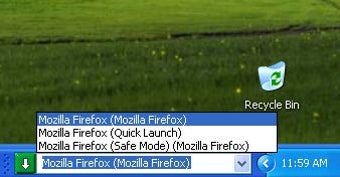
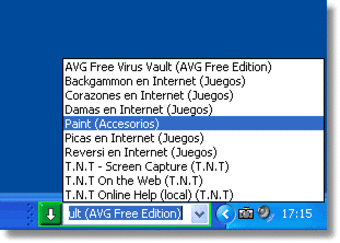
Windows users are always looking for faster, more comfortable ways to access files and applications. SmartStartMenu is another alternative to the traditional Start menu, enabling you to open files and launch apps just by typing their name.

Top Recommended Alternative

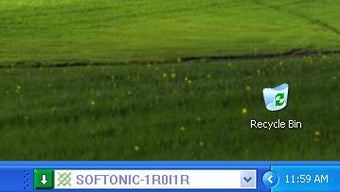
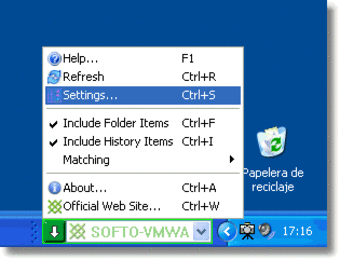
The program uses the taskbar to display a small text field where you can enter the name of the file or program you want to open. This means that you'll have to renounce some taskbar space if you want to use SmartStartMenu. The text field design is not very polished and doesn't look very nice in the taskbar, but you can set it to use Windows colors so that it looks a bit better.

SmartStartMenu also adds new commands to the context menu of files and folders, with which you can copy their complete or short paths to the Clipboard.

  • Pros

    • Works very fast
    • Adds new functions to context menu
  • Cons

    • Interface doesn't look nice
    • Uses taskbar space
 0/5

App specs

  • Developer

    • Planetharrington
  • License

    Free

  • Version

    1.55

  • Latest update

  • Platform

    Windows

  • OS

    Windows 98 SE

  • Language

    English

  • Downloads

    887

  • Size

    919.55 KB

Program available in other languages


Icon of program: SmartStartMenu

SmartStartMenu for PC

  • Free
  • 4.1
    8
  • 887
  • V1.55
Free Download for PC

View an ad to download for free


User reviews about SmartStartMenu

4.1

1 reviews

Add review

Main reviews for you

  • Anonymous user

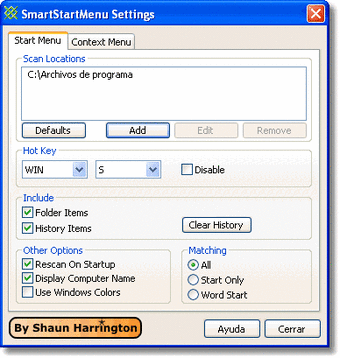
    Things Elena Missed.... You can unlock the task bar and resize SmartStartMenu, or even drag it off the task bar entirely so that it is free to float anywhere on your desktop. You can let if fall behind your other apps and call it back using WIN+S (the default hot key that you can change to be anything you want.

More

You may also like

Explore Apps

Latest articles

Laws concerning the use of this software vary from country to country. We do not encourage or condone the use of this program if it is in violation of these laws.
Softonic

Is SmartStartMenu safe?

Score result: Clean

This file passed a comprehensive security scan using VirusTotal technology. It is safe to download.

  • Virus free
  • Spyware free
  • Malware free
  • Verified by Security Partners

    VirusTotal logo

Scan Info

Last scan
Wednesday, December 2, 2020
Scan provider
VirusTotal

Softonic security commitment

SmartStartMenu has been thoroughly scanned by our advanced security systems and verified by industry-leading partners. This file comes from the official developer and has passed all our security checks, showing no signs of viruses, malware, or spyware. For more information, visit our Security and Trust Center

Signed in to Softonic as